The halfway mark. 🙌
It’s been an experience. While my sleep schedule, sanity, and any self-respect are all experiencing fun new lows, my pacing strategies, system architectures, and aesthetic Trello card color compositions are in their absolute primes.
September Workload
After the last update, it became clear that the remaining work would need a fairly aggressive timeline to meet the mid-November playtesting target. So because my brain is incapable of solving any remotely-complex problem without seeing it on paper first, I began sketching out each major effort required to hit an MVP state, binning and decomposing those with respect to three parent topics:
- September: UI & Player Awareness
- October Gameplay Refinement & Pillars
- November: World Layout
with World Layout being last. At a glance, the dates themselves might seem backwards — you need a world for a game, and then a game for a UI, right? 🤔
Well yes, but actually …
So in my complete inexperience case, the UI portion doubles as a means to finalize player architecture by ensuring that player observation events are not only functional but intuitive. As my UI is entirely disconnected from the player (the player system actually has no idea the UI even exists), the 1-sided integration with the UI serves as a pilot for integration with any other system. ✈
The UI block did involve a fair bit of work, though. With two major systems, three ancillary systems, an event system rework, and a capstone to finalize the month, September was the busiest month to-date by far. Looking at the Trello board checklist, I keep thinking, “wait… these were all this month… ?”
Trello and “Never Have a 0% Day”
Given these heavier workloads, pacing myself has become more of a mental game than anticipated. Tracking outstanding tasks through Trello has been helpful, but I’ve noticed that dropping a month’s worth of cards into some column labeled TODO introduces way too much noise for my brain to handle. I’ve always had difficulty operating in a cluttered space (I don’t even use a mousepad, mind you), so this approach was not a success.
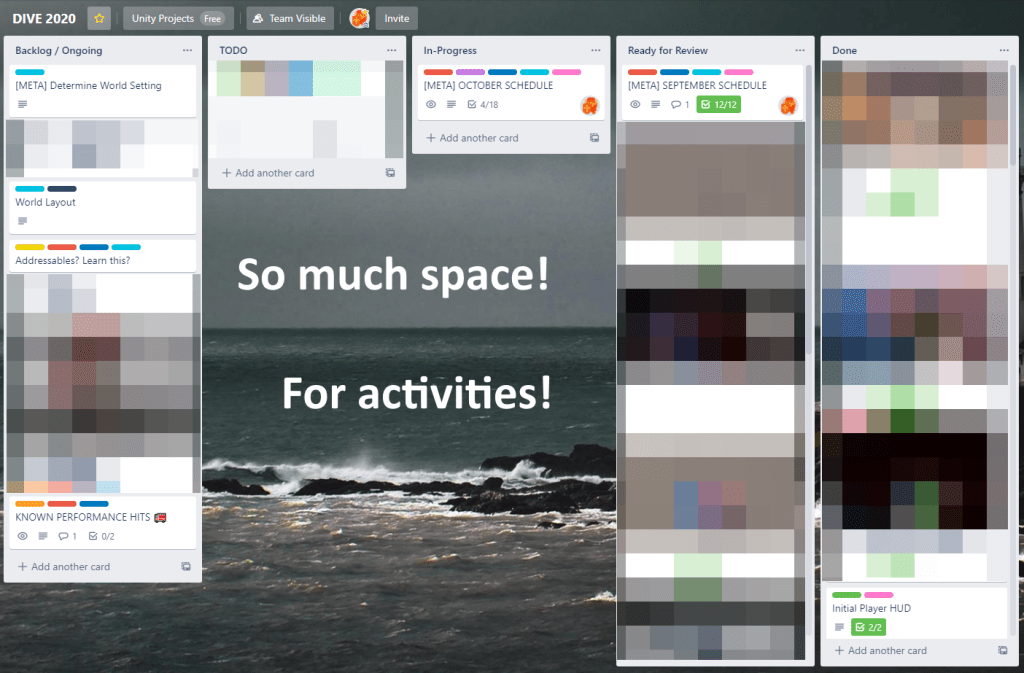
Instead, I’ve been using month-wide “Meta” cards that track all required activity for that given month. These allow me to monitor that month’s requirements at any necessary granularity, with only 2-3 achievable cards occupying the TODO column and guaranteeing that, whenever I visit this board, there’s something for me to tackle and nothing there to distract.
The idea of an achievable card has been key, though. There’s a motto from a pretty popular game development video (although it honestly applies to anything you find yourself caring about): Never Have a 0% Day. Its simplicity and appeal are obvious, but I actually had some trouble determining an appropriate level of effort to break that 0% threshold.
I decided that anything that simplifies an existing problem — to any degree — is a valid level of effort for the day. A surprisingly effective breakthrough has honestly been the 4-5 huge sketchpads lying around, with a recurring situation being:
Ok, well I’m super tired from work and really don’t feel like writing code today. What is the most annoying 🐬ing card on this list? I’ll just sit on the couch and sketch out ideas until it’s no longer the most annoying thing on this gd board.
Of the major technical issues over the last 3 months, I can safely say that every single one has been solved on a sketchpad before anything is typed.
Technical Aside: State Behaviours?
On a side note, I have been sort of obsessed lately with the StateBehaviour feature within Unity’s Animator system. Basically, it’s a kind of Behaviour that you can attach to individual state blocks within an Animator layer.
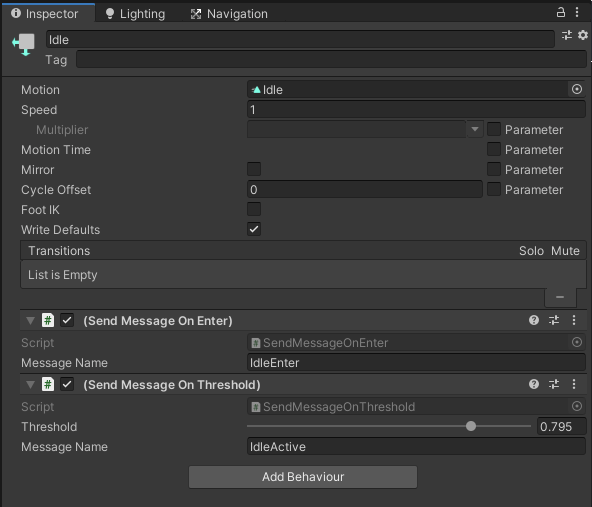
with the code being super simple:
using UnityEngine;

public class SendMessageOnEnter : StateMachineBehaviour
{
    public string messageName = "";

    // OnStateEnter is called when a transition starts and the state machine starts to evaluate this state
    override public void OnStateEnter(Animator animator, AnimatorStateInfo stateInfo, int layerIndex)
    {
        animator.SendMessage(messageName);
    }
}
In my case, I wrote a few simple ones to send messages to the animator based on various state activation timings and transitions, rather than emit these events directly from an animation or worry about the entire timing cycle within the actor’s code. This approach has seriously cut down on the animation complexity and enabled the September capstone to basically fall into my lap.
It’s been quite cool. 👏
Looking Forward
It feels a little surreal to see things so far along, but equal parts intimidating with how much is still left to go. Specifically, October will probably be the single busiest month of the 6 (with November hopefully being a distant 2nd place) and my actual job during October will be absolutely manic all by itself.
As of right now, my top concern for this project’s timeline is if my job bleeds even further into my off-the-clock time than it already has. There’s a subset of tasking / content that can be cut in case this happens, but a feeling of emptiness (for the game and professionally) is something I am trying diligently to avoid.
Playtesting is also on my radar. Seeing as 4-5 folks volunteered to do this, I am considering a mechanic-only build for the October capstone. The notion of a “capstone” worked surprisingly well for September, essentially being a Hail Mary to conclude the month with no real consequence if it falls flat. This should provide enough feedback to clean things up prior to December, plus the nice ego hits when everyone tells me to stop trying.
Overall, I’m satisfied with how September went and look forward to tackling October. ⛱

 Trey's WP
Leave a comment